A strong technical README answers the questions an evaluator has before they inspect your code: What does this project do, who is it for, and why was it built? Place these answers near the top instead of beginning with a long list of technologies. A recruiter may spend only a few minutes deciding whether to explore further, while a developer needs enough context to run the project without guessing.
Write a concise opening that describes the user problem and the project outcome in specific terms. For example, say that the application tracks monthly marketing expenses for small teams and exports CSV reports, rather than saying it is an innovative business management platform. Add one sentence explaining your role, such as designing the API, building the React interface, and configuring deployment. This immediately gives readers a practical way to evaluate the scope of your work.
Author
Đội Ngũ Toidayhoc
We truly appreciate your trust. Our readers choose us because we share practical, well-researched articles on learning and growth.
Continue learning with these courses
Related articles
Explain the Project’s Purpose Clearly
The overview should connect features to real use cases. Describe the primary workflow from the user’s perspective, such as creating a workspace, inviting a teammate, recording an expense, and downloading a report. Mention important constraints when they matter, including supported browsers, expected data volume, authentication requirements, or whether the project is a prototype. Concrete boundaries make the project sound more credible than broad claims about scalability or enterprise readiness.
Include a short feature explanation, but focus on decisions that demonstrate technical judgment. If the application supports search, explain whether it uses database filtering, client-side filtering, or a dedicated search service. If users can upload files, state the accepted formats and how invalid files are handled. These details help an evaluator distinguish implemented behavior from ideas that merely appear in a roadmap.
Make Installation Reproducible
An evaluator should be able to move from a fresh clone to a working application through a predictable setup process. State the required runtime version, package manager, database, and external services before describing the installation steps. Name environment variables such as database connection strings or authentication keys, but never publish real secrets. If the project depends on a specific version of Node.js, Python, or Java, explain how readers can verify that version on their machine.
Use a tested sequence that matches the actual repository. A useful flow might be cloning the repository, installing dependencies, copying a sample environment file, creating the database, running migrations, and starting the development server. Explain what success looks like, such as the local address that should open in a browser or the health-check response an evaluator should receive. Test the instructions on a clean machine or container before publishing them; a setup guide that works only on the author’s laptop weakens the entire evaluation.
Show the Architecture and Key Decisions
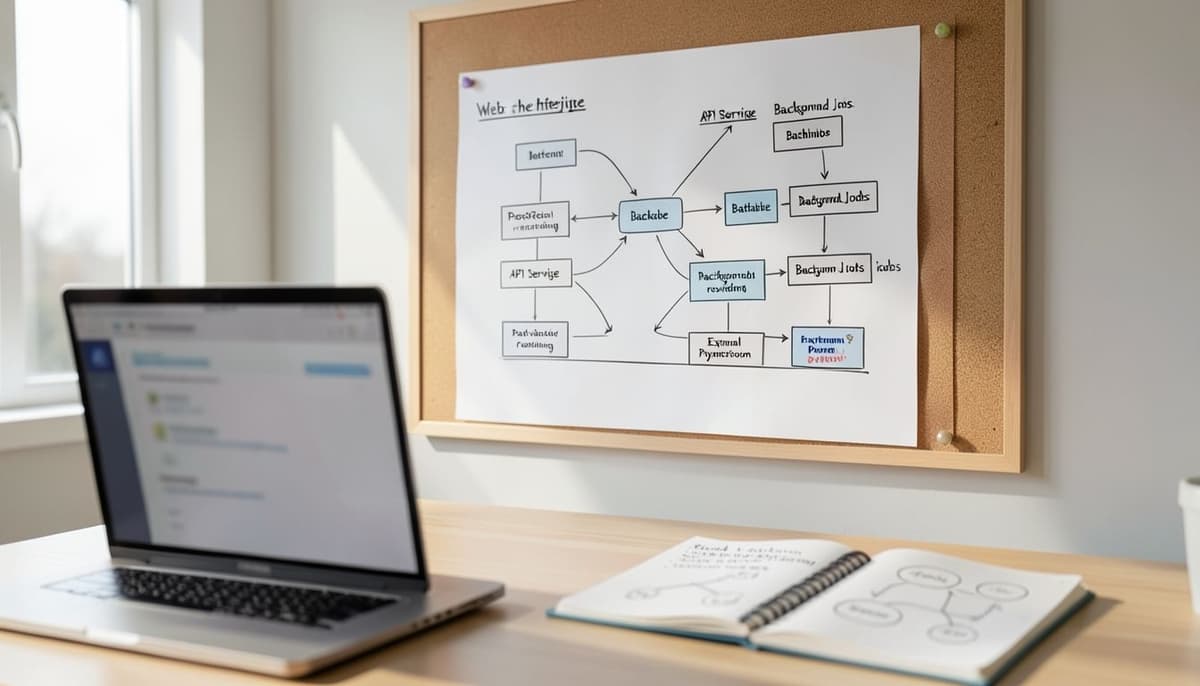
A technical README should help readers understand how the major parts fit together without forcing them to inspect every folder. Describe the relationship between the frontend, backend, database, background jobs, and third-party services in plain language. Then point to the relevant directories, such as a folder for API routes, a folder for reusable interface components, and a folder for database migrations. Keep the structure description aligned with the current repository so readers do not follow outdated paths.
Explain two or three meaningful technical decisions and the trade-offs behind them. For example, you might explain that PostgreSQL was chosen for relational reporting, that background jobs prevent slow email delivery from blocking requests, or that a shared validation schema keeps browser and server rules consistent. Avoid turning the README into a textbook about every framework. The goal is to show how you solved project-specific problems and where another developer should look when extending the system.
Provide Useful Usage Examples
A working demonstration gives an evaluator evidence beyond screenshots. Describe a realistic path through the application using sample data, including the account or seed command needed to reproduce it safely. If the project has an API, show the purpose of important endpoints in plain text and explain the expected request and response behavior. For instance, clarify that a create-expense request accepts an amount, currency, category, and date, while the server rejects negative values.
Screenshots and a short demonstration link are valuable when they are selected deliberately. Use one image to show the primary workflow and another only when it reveals a different state, such as validation feedback or a responsive mobile layout. Add captions that explain what the evaluator should notice, including permission differences between an administrator and a regular user. Do not rely on screenshots to communicate information that should also be available as searchable text in the README.
Document Testing and Deployment Evidence
Testing information shows whether the project was evaluated systematically rather than only opened manually once. State the testing tools, the main categories covered, and the command used to run them. Give representative examples, such as validating an API response for an unauthenticated request, checking that an invalid expense is rejected, or confirming that a report contains the expected total. If coverage is available, report it accurately and identify important areas that still need more tests instead of presenting one percentage as proof of quality.
Deployment notes should explain where the application runs and how a release is produced. Mention the hosting platform, database provider, build command, migration process, and required environment configuration when those details are relevant. Include known limitations, such as a free hosting instance that sleeps after inactivity or a file upload system that stores data only temporarily. Honest limitations help evaluators understand the current maturity of the project and often demonstrate stronger engineering judgment than exaggerated production claims.
Keep the README Easy to Maintain
Finish with information that helps the next person continue the project. Add links to contribution guidance, issue reporting, licensing, a changelog, or a live demo only when those resources exist and are maintained. Include contact information or a professional profile if the README is part of a portfolio, but keep the focus on the project’s technical value. Remove placeholder sections, broken links, and badges that no longer reflect the repository.
Review the README whenever the setup process, API behavior, database schema, or deployment environment changes. A practical maintenance habit is to follow the instructions from a clean checkout after each major release and compare every command with the actual package scripts. Ask someone unfamiliar with the project to complete the setup and note where they hesitate. A README becomes persuasive when it is accurate, scannable, and supported by a project that behaves exactly as the documentation promises.